Ever wondered what’s really happening under the hood of your computer or server? A reliable system monitor can reveal the hidden truths of your machine’s health, performance, and efficiency—before problems escalate.


What Is a System Monitor and Why It Matters

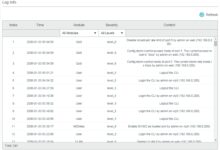
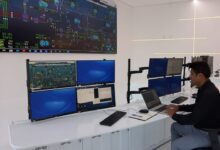
A system monitor is a software tool designed to track, analyze, and report the performance and health of computer systems, servers, networks, and applications. It continuously observes key metrics such as CPU usage, memory consumption, disk I/O, network activity, and process behavior. By providing real-time visibility into system operations, a system monitor helps IT teams prevent downtime, optimize resource allocation, and maintain service reliability.
Core Functions of a System Monitor
At its core, a system monitor performs several critical functions that keep digital infrastructure running smoothly. These include real-time data collection, alert generation, performance trend analysis, and log monitoring. Each function plays a vital role in maintaining system integrity.
- Real-time metric tracking (CPU, RAM, disk, network)
- Automated alerting for anomalies or threshold breaches
- Historical data logging for trend analysis and capacity planning
These capabilities allow organizations to shift from reactive troubleshooting to proactive system management. For example, if a server’s memory usage spikes unexpectedly, the system monitor can trigger an alert, enabling administrators to investigate before a crash occurs.
Types of System Monitoring
Not all monitoring is the same. Depending on the environment and objectives, different types of system monitoring are employed. These include infrastructure monitoring, application performance monitoring (APM), network monitoring, and log monitoring.
- Infrastructure Monitoring: Focuses on hardware and OS-level metrics.
- Application Monitoring: Tracks software performance, response times, and error rates.
- Log Monitoring: Analyzes system and application logs for security threats or operational issues.
According to Red Hat, effective system monitoring integrates these types to provide a holistic view of IT operations.
“Monitoring is not just about collecting data—it’s about turning data into actionable insights.” — DevOps Best Practices, Red Hat
Top 7 System Monitor Tools in 2024
The market is flooded with system monitor solutions, each offering unique features and scalability. Choosing the right one depends on your infrastructure size, technical expertise, and monitoring goals. Below are seven of the most powerful and widely used system monitor tools today.
1. Nagios XI
Nagios XI is one of the most established names in system monitoring. Known for its robustness and flexibility, it supports monitoring across servers, networks, applications, and services. It uses a plugin-based architecture, allowing users to extend functionality easily.
- Supports thousands of plugins for custom monitoring
- Provides detailed dashboards and reporting
- Offers proactive alerting via email, SMS, or Slack
Nagios is ideal for enterprises with complex IT environments. However, its interface can be daunting for beginners. More details are available at Nagios Official Site.
2. Zabbix
Zabbix is an open-source system monitor that excels in scalability and real-time monitoring. It’s particularly popular among mid-to-large organizations due to its ability to handle large volumes of data and support distributed monitoring.
- Auto-discovery of network devices and services
- Powerful alerting and visualization tools
- Supports cloud, on-premise, and hybrid environments
Zabbix uses a server-agent model and can monitor everything from Linux servers to IoT devices. Its active community and extensive documentation make it a favorite among DevOps teams.
3. Datadog
Datadog is a cloud-based system monitor that provides full-stack observability. It integrates seamlessly with AWS, Azure, Google Cloud, and Kubernetes, making it a top choice for modern cloud-native applications.
- Real-time dashboards with drag-and-drop customization
- AI-powered anomaly detection
- Log management, APM, and synthetic monitoring in one platform
Datadog’s strength lies in its ecosystem. It connects with over 600 technologies, enabling comprehensive monitoring without complex integrations. Learn more at Datadoghq.com.
4. Prometheus
Prometheus is an open-source monitoring and alerting toolkit originally developed at SoundCloud. It’s now a CNCF (Cloud Native Computing Foundation) graduate project and widely used in containerized environments.
- Pull-based monitoring model using HTTP
- Powerful query language (PromQL)
- Excellent integration with Grafana for visualization
Prometheus is especially effective for monitoring dynamic microservices and Kubernetes clusters. However, it lacks built-in long-term storage, often requiring integration with Thanos or Cortex.
5. PRTG Network Monitor
Developed by Paessler, PRTG is a Windows-based system monitor that offers an intuitive interface and automatic sensor detection. It’s suitable for small to medium-sized businesses looking for an all-in-one solution.
- Auto-discovery of network devices
- Over 200 sensor types (SNMP, WMI, NetFlow, etc.)
- Real-time maps and reporting
PRTG operates on a freemium model—up to 100 sensors are free. Beyond that, licensing is required. It’s praised for its ease of setup and minimal learning curve.
6. SolarWinds Server & Application Monitor (SAM)
SolarWinds SAM is a comprehensive system monitor designed for enterprise environments. It provides deep visibility into server performance, application health, and database operations.
- Pre-built templates for common applications (SQL, Exchange, etc.)
- Root cause analysis and performance forecasting
- Integration with SolarWinds Orion platform
While powerful, SolarWinds has faced security scrutiny in recent years. However, the company has significantly improved its security posture post-2020 breach. Visit SolarWinds.com for more.
7. New Relic
New Relic offers a full-stack observability platform that combines system monitoring, APM, and digital experience monitoring. It’s designed for developers and operations teams who want deep insights into application performance.
- Real-user monitoring (RUM) and synthetic monitoring
- AI-driven insights and alerting
- Free tier with generous limits
New Relic’s modern UI and developer-friendly approach make it ideal for agile teams. Its distributed tracing capabilities are particularly useful in microservices architectures.
Key Metrics Tracked by a System Monitor
To truly understand system health, a system monitor tracks a variety of performance indicators. These metrics provide early warnings of potential issues and help in capacity planning and optimization.
CPU Usage
CPU usage is one of the most fundamental metrics. A system monitor tracks how much processing power is being consumed by applications, services, and the operating system. Sustained high CPU usage (above 80%) can indicate performance bottlenecks or inefficient code.
- Monitor per-core and overall CPU load
- Identify processes consuming excessive CPU
- Set thresholds for alerting
For example, a sudden spike in CPU usage on a web server might signal a DDoS attack or a runaway script.
Memory (RAM) Utilization
Memory monitoring helps prevent system slowdowns caused by insufficient RAM. A system monitor tracks both used and available memory, as well as swap usage, which indicates when the system is offloading data to disk due to memory pressure.
- Track memory leaks in applications
- Monitor page faults and swap activity
- Alert on memory exhaustion
Consistently high memory usage can degrade performance and lead to crashes, especially in virtualized environments.
Disk I/O and Storage
Disk performance is critical for databases, file servers, and virtual machines. A system monitor tracks read/write speeds, latency, queue length, and available disk space.
- Monitor disk queue length for bottlenecks
- Track IOPS (Input/Output Operations Per Second)
- Alert on low disk space or high latency
For instance, a database server with high disk latency may need SSD upgrades or query optimization.
Network Traffic
Network monitoring ensures that data flows smoothly between systems. A system monitor tracks bandwidth usage, packet loss, latency, and connection states.
- Monitor bandwidth consumption by application or user
- Detect network congestion or DDoS attacks
- Track uptime and availability of network devices
Tools like PRTG and Zabbix use SNMP to gather network metrics from routers, switches, and firewalls.
Benefits of Using a System Monitor
Implementing a system monitor is not just a technical decision—it’s a strategic one. The benefits extend beyond IT operations to business continuity, customer satisfaction, and cost efficiency.
Prevent Downtime and Outages
One of the primary benefits of a system monitor is its ability to prevent unplanned downtime. By detecting issues early—such as high CPU, memory leaks, or failing hardware—IT teams can intervene before systems crash.
- Reduce mean time to repair (MTTR)
- Minimize service disruptions
- Improve SLA compliance
According to Gartner, unplanned downtime costs enterprises an average of $5,600 per minute. A good system monitor can save millions annually.
Optimize Resource Utilization
Many organizations over-provision resources due to lack of visibility. A system monitor provides data-driven insights into actual usage, enabling better allocation of CPU, memory, and storage.
- Identify underutilized servers for consolidation
- Right-size cloud instances to reduce costs
- Plan capacity upgrades based on trends
For example, AWS users can use CloudWatch (a built-in system monitor) to scale EC2 instances dynamically based on load.
Enhance Security and Compliance
System monitors also play a crucial role in security. They can detect unusual behavior—such as unauthorized access attempts, abnormal process activity, or unexpected reboots—that may indicate a breach.
- Monitor system logs for suspicious entries
- Alert on failed login attempts
- Support compliance with standards like HIPAA, PCI-DSS, and GDPR
Tools like Splunk and Datadog integrate log monitoring with SIEM (Security Information and Event Management) capabilities.
How to Choose the Right System Monitor
Selecting the best system monitor requires evaluating several factors, including your environment, budget, technical skills, and long-term goals.
Assess Your Infrastructure Needs
Start by mapping your IT environment. Are you managing physical servers, virtual machines, cloud instances, or containers? Do you need to monitor applications, databases, or network devices?
- On-premise vs. cloud vs. hybrid
- Number of devices and services to monitor
- Need for agent-based or agentless monitoring
For example, Prometheus is ideal for Kubernetes, while Nagios excels in heterogeneous environments.
Evaluate Scalability and Performance
As your infrastructure grows, your system monitor must scale accordingly. Consider how the tool handles data ingestion, storage, and query performance under load.
- Check maximum number of monitored nodes
- Review data retention policies
- Test dashboard responsiveness with large datasets
Zabbix and Datadog are known for their scalability, while open-source tools may require additional tuning.
Consider Integration and Ecosystem
A system monitor should integrate with your existing tools—CI/CD pipelines, ticketing systems (like Jira), communication platforms (like Slack), and cloud providers.
- Look for APIs and webhooks
- Check compatibility with DevOps tools (Ansible, Terraform, etc.)
- Verify support for automation and scripting
Datadog and New Relic offer extensive integration libraries, making them ideal for modern DevOps workflows.
Setting Up a System Monitor: Best Practices
Deploying a system monitor is just the beginning. To get the most value, follow best practices in configuration, alerting, and maintenance.
Define Clear Monitoring Objectives
Before installing any tool, define what you want to achieve. Are you focused on uptime, performance, security, or cost optimization? Clear goals guide your monitoring strategy.
- Identify critical systems and services
- Set SLAs and performance benchmarks
- Document monitoring requirements
For example, an e-commerce site might prioritize monitoring checkout systems and database performance during peak hours.
Configure Smart Alerts
Too many alerts lead to alert fatigue, while too few can miss critical issues. Configure alerts based on severity, frequency, and business impact.
- Use thresholds and anomaly detection
- Escalate alerts based on time and role
- Suppress noise during maintenance windows
Tools like Prometheus and Datadog allow dynamic thresholds using machine learning to reduce false positives.
Regularly Review and Tune Monitoring
Monitoring is not a set-it-and-forget-it task. Regularly review dashboards, update configurations, and refine alert rules based on changing workloads.
- Schedule monthly monitoring audits
- Archive or delete unused sensors or checks
- Train team members on new features
Continuous improvement ensures your system monitor remains effective and relevant.
Future Trends in System Monitoring
The field of system monitoring is evolving rapidly, driven by cloud computing, AI, and the rise of distributed systems. Staying ahead of trends ensures your monitoring strategy remains future-proof.
AIOps and Predictive Monitoring
Artificial Intelligence for IT Operations (AIOps) is transforming system monitoring by using machine learning to predict failures before they occur.
- Analyze historical data to forecast resource needs
- Automatically correlate events across systems
- Reduce false positives with intelligent filtering
Companies like Moogsoft and BigPanda specialize in AIOps platforms that integrate with existing system monitors.
Observability Over Monitoring
While traditional monitoring focuses on predefined metrics, observability emphasizes understanding system behavior through logs, metrics, and traces.
- Shift from “Is it working?” to “Why is it working?”
- Use distributed tracing in microservices
- Enable developer self-service debugging
Tools like OpenTelemetry are setting standards for unified observability across platforms.
Edge and IoT Monitoring
As more devices move to the edge, monitoring must extend beyond data centers. IoT devices, retail kiosks, and industrial sensors require lightweight, secure monitoring solutions.
- Support for low-bandwidth, intermittent connections
- Local data processing and filtering
- Centralized visibility across distributed nodes
Projects like EdgeX Foundry and Azure IoT Hub are enabling scalable edge monitoring.
What is a system monitor used for?
A system monitor is used to track the performance, health, and availability of computer systems, servers, networks, and applications. It helps detect issues early, optimize resources, ensure security, and maintain service uptime.
Is there a free system monitor tool available?
Yes, several free system monitor tools exist, including Zabbix, Nagios Core, Prometheus, and PRTG (with up to 100 sensors). These are powerful options for small businesses or learning purposes.
Can a system monitor improve security?
Absolutely. A system monitor can detect unusual activity—such as failed logins, high CPU from unknown processes, or unexpected reboots—that may indicate a security breach. It also supports compliance with regulatory standards.
How does a system monitor work with cloud environments?
Modern system monitors like Datadog, New Relic, and AWS CloudWatch integrate natively with cloud platforms. They use APIs to collect metrics, support auto-scaling, and provide real-time insights into cloud resources.
Do I need coding skills to use a system monitor?
Not necessarily. Many tools like PRTG and SolarWinds offer user-friendly interfaces. However, advanced tools like Prometheus or Zabbix may require scripting or configuration knowledge for customization.
Choosing the right system monitor is a critical step in maintaining a healthy, efficient, and secure IT environment. From preventing costly downtime to optimizing cloud costs and enhancing security, these tools provide invaluable insights. Whether you’re a small business or a large enterprise, investing in a robust system monitor pays dividends in reliability and performance. As technology evolves, so too will monitoring—embracing trends like AIOps and observability will keep your systems ahead of the curve.
Further Reading: